My current Arch Linux Setup
My Arch Setup ヾ(≧▽≦*)o
hyprland · quickshell · colorful & cozy · btw
Yes, I use Arch. Yes, I will mention it. That’s just the terms and conditions of the rice. (¬‿¬)
This is my current desktop setup — not a tutorial, not a flex, just me documenting what I’ve built before I inevitably break it and have to redo everything from scratch. Again.
( ´ ▽ ` ) The Screenshot

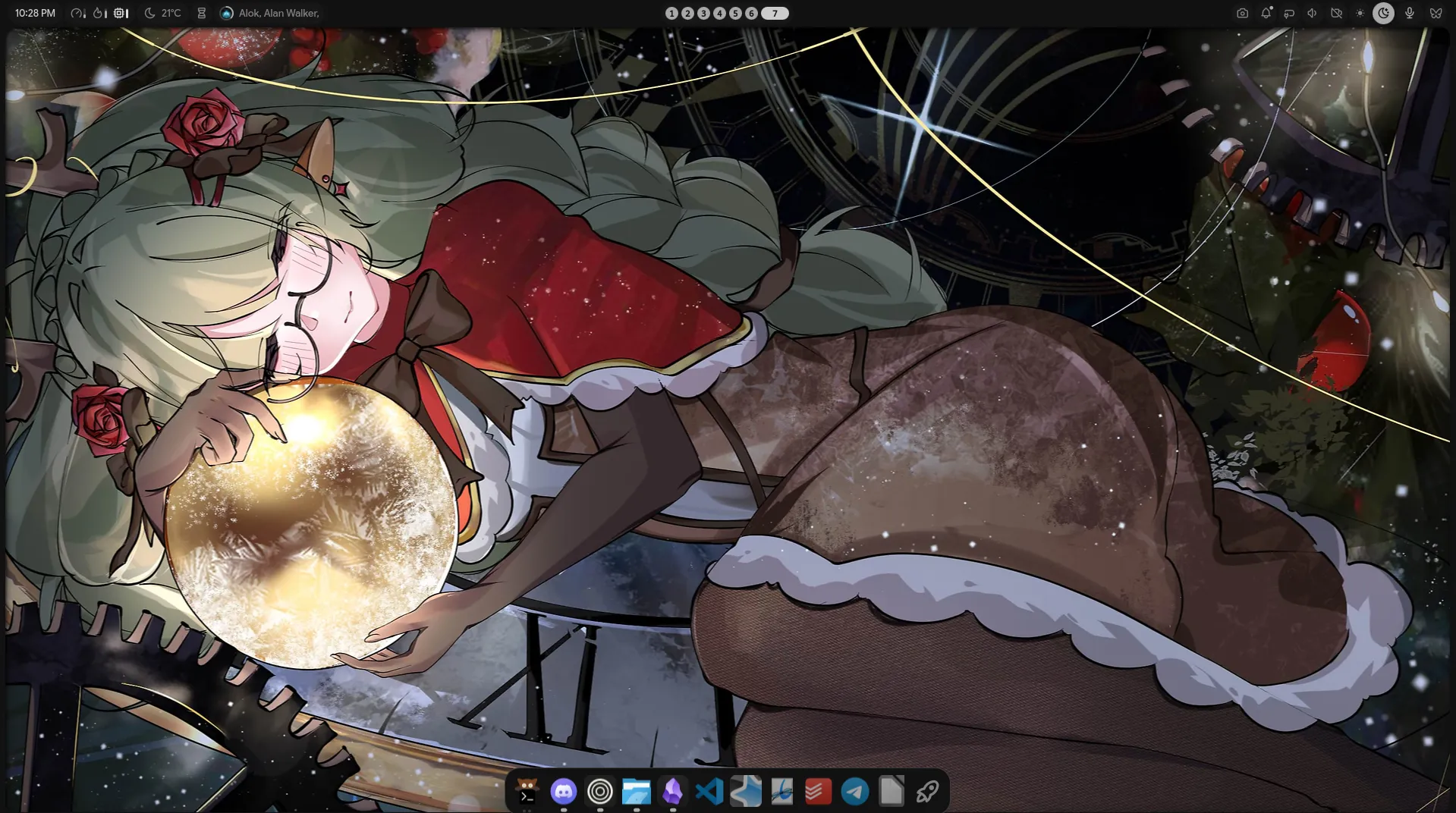
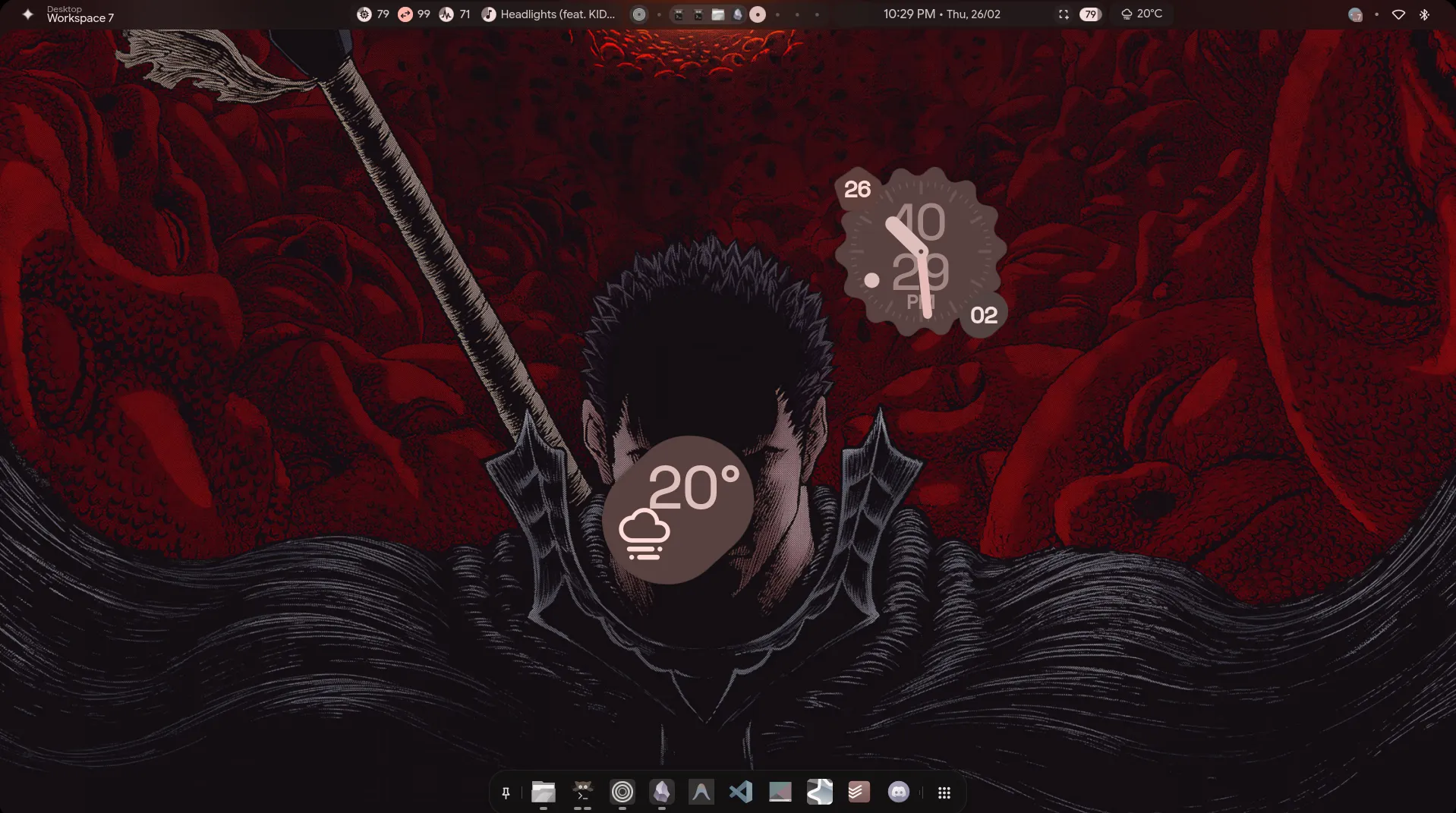
colorful, cozy, and somehow functional (。•̀ᴗ-)✧
ヽ(^o^) The Stack
🪟 Window Manager Hyprland — smooth animations, tiling that actually makes sense, and it looks incredible. Worth every config hour.
🐚 Shell Framework Quickshell — the backbone of both my desktop shells. Qt/QML based and insanely flexible.
🎨 Shell #1 — end4 dots The classic. Material You theming, AI sidebar, dynamic colors from wallpaper. Feature-packed to the max.
✨ Shell #2 — Caelestia Soft pastels, rounded corners, cohesive design. Feels like Material Design grew up and moved to Linux.
🌙 Shell #3 — Noctalia Minimal, warm lavender aesthetic, built-in notification center and control panel. Gets out of your way.
🔀 qswitch The thing that makes running all three sane. Switch shells with one command. More on this below. (^▽^)
(*・ω・)ノ The Interesting Part — Three Shells, One Setup
Okay so here’s the thing most people don’t do — I run three different Quickshell configs on a single Hyprland install and switch between them depending on my mood. ( ̄▽ ̄)ノ
end4’s dots when I want something feature-rich and alive. Caelestia when I want something that looks like a cozy pastel dream. Noctalia when I want it clean and out of my face.
The tool that makes this actually work is qswitch — a tiny Go utility that handles switching between Quickshell configs, manages keybind conflicts between shells, and even has a little panel for visual switching.
# switch to caelestiaqswitch apply caelestia
# or just cycle through themqswitch
# see what you're onqswitch current
It reads from a ~/.config/qswitch/config.json where you list your flavours and their keybind files.
Each shell can have its own keybinds without stepping on each other. It’s honestly kind of genius for how simple it is. (。•̀ᴗ-)✧
(´。• ᵕ •。`) The Links
end4’s dotfiles Usability-first Hyprland rice with Quickshell, AI integration and dynamic Material theming. → github.com/end-4/dots-hyprland
Caelestia A very segsy rice. Quickshell-based shell with soft pastels and a unified design system. → github.com/caelestia-dots/caelestia
Noctalia Shell Minimal Wayland shell built on Quickshell. Warm lavender, 53+ plugins, supports Hyprland natively. → github.com/noctalia-dev/noctalia-shell
qswitch Switch between multiple Quickshell configs seamlessly. Handles keybinds, state, and has a panel. → github.com/MannuVilasara/qswitch
ヽ(^o^) Final Thoughts
Is this overkill? Probably. Do I need three shells? No. Am I going to add a fourth? …maybe. (¬‿¬)
The real answer is that the Hyprland + Quickshell ecosystem right now is genuinely exciting. These projects are all open source, actively maintained, and built by people who clearly care a lot. Using qswitch to run all of them felt like the most natural conclusion.
If you want to try any of these, just follow the links above — each project has solid docs and active communities.
Yes, I use Arch. You’re welcome. ٩(◕‿◕。)۶